> For the complete documentation index, see [llms.txt](https://docs.yansalabs.com/asset-tag-maker/llms.txt). Markdown versions of documentation pages are available by appending `.md` to page URLs; this page is available as [Markdown](https://docs.yansalabs.com/asset-tag-maker/technical-docs/building-a-label-template/creating-labels/label-configuration.md).
# Label Configuration
A **Label Configuration** record must exist for each model of label that you wish to use. The configuration of the **Label Configuration** contains information about padding, sizing, number of rows, etc. for each page of labels.
{% hint style="info" %}
The [**Label Designer**](/asset-tag-maker/technical-docs/building-a-label-template/creating-labels/label-designer.md) **Geometry** tab lets you switch the template to another Label Configuration or copy and edit its current geometry visually. It identifies shared configurations before changes can affect other templates.
{% endhint %}
{% hint style="info" %}
To add a new model of **Label Configuration** beyond what is included with the app, follow the instructions provided under [Adding New Label Configuration Type](broken://pages/I7UAh4aVBhpOVWbeAbml). For help, reach out to us at [yansalabs.com/support](https://www.yansalabs.com/support).
{% endhint %}
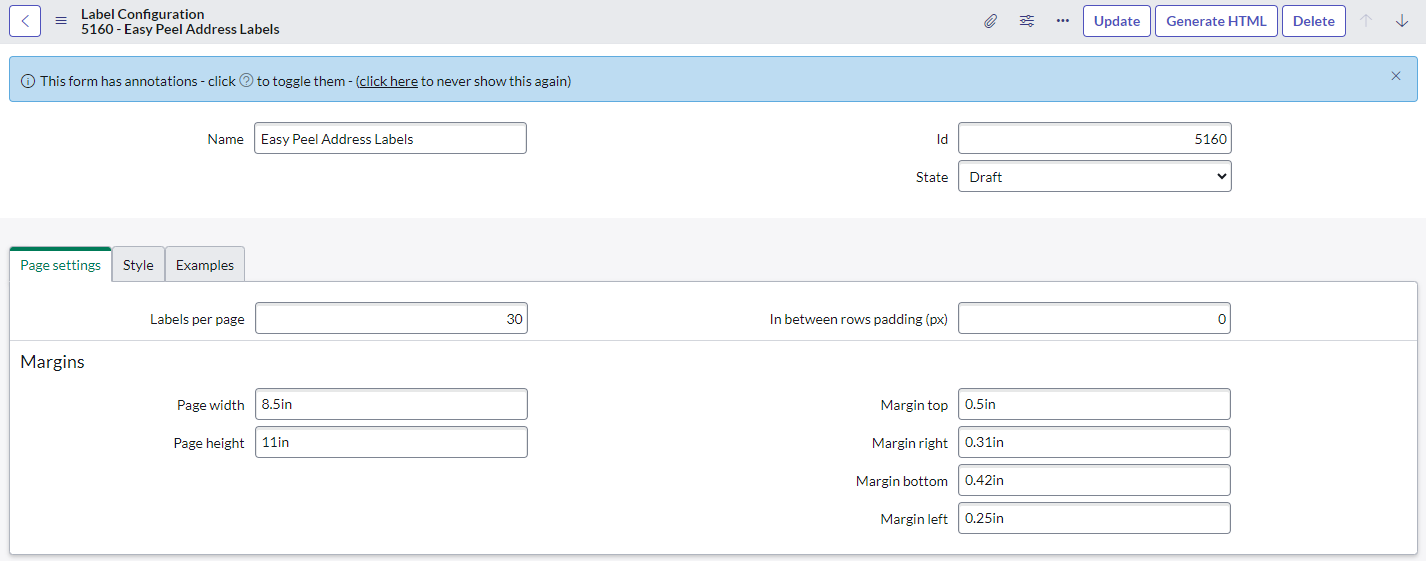
The Label Configuration form is organized into sections to simplify configuration:
* **Basic Information:** Specify the name, label number, and state of the label configuration.
* **Page Settings:** Configure the page level settings such as margins, and spacing between label rows.
* **Style:** Specify if you need advanced CSS styling allowing total control of the design, look, and feel of your labels globally for all templates using this label.
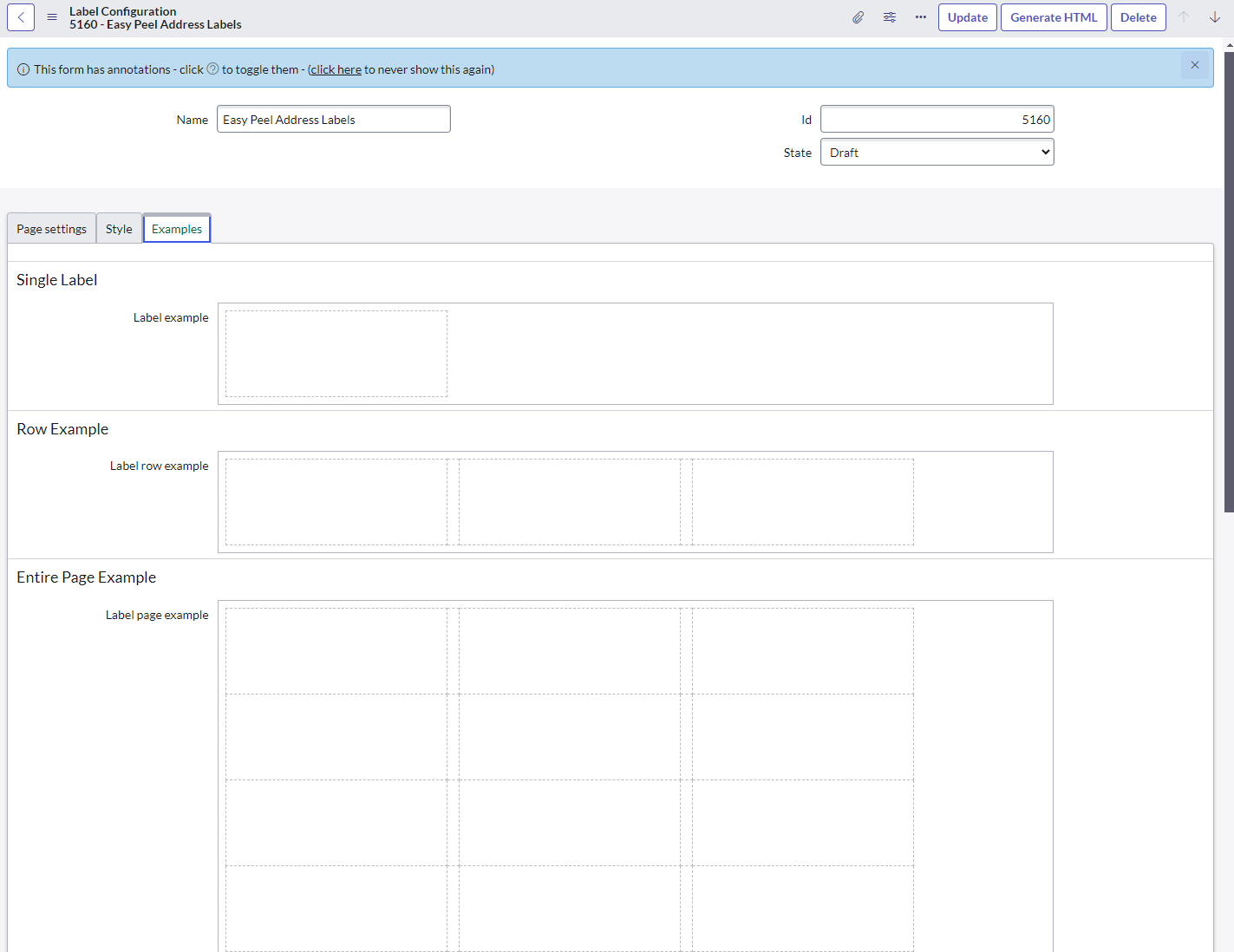
* **Examples**: Each sub-section displays an example of how the labels will be generated as a single, row, or full page of labels
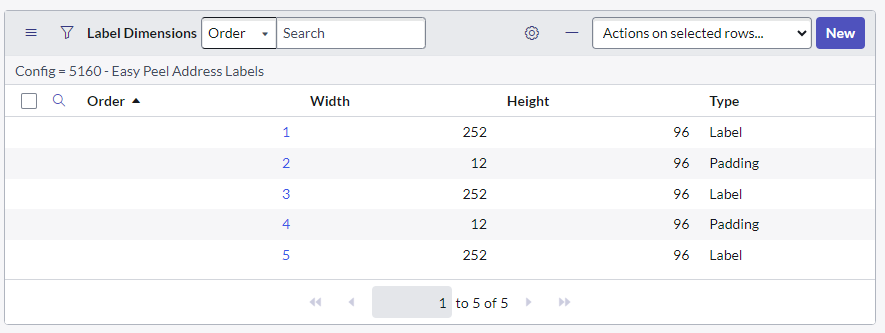
* **Label Dimensions (related list)**: Related list of records, each corresponding to a 'column' in a single 'row' of the label page.
Basic Information and Page Settings
Single/Row/Page Label Examples
Dimensions Related List
### Basic Information (header)
* **Name:** The name of the label when used in templates.
* **Id**: Model number or Identifier of the label
* **State:** Is this configuration Published, in Draft, or Retired.
### Page Settings
* **First row padding**: Padding (in pixels) before the first row of labels
* **Max labels per page**: Maximum number of labels available on each page
* **In between rows padding**: Padding (in pixels) between rows of labels
### **Style**
* **Advanced styling**: Optional access to advanced CSS that can be used to tweak details of the Label Configuration
* **CSS:** The CSS to apply to the labels that use this template.
### Examples (Single/Row/Page Label)
After all configuration has been set (including the **Label Dimensions** below), click the **Generate HTML** button in the form header to generate these Label Examples.
These examples are used in the **Label Template** to facilitate configuration of your PDF.
{% hint style="info" %}
Each time the configuration or dimensions of an **Label Config** changes, you must click **Generate HTML** to regenerate example label layouts.
{% endhint %}
### Label Dimensions (related list)
Correlating to a single 'column' on a single 'row' of the label page, these records should be created with an increasing 'Order' field from left-to-right. Each column will have:
* **Type**: 'Padding' or 'Label'
* **Width**: Pixel-width of the column
* **Height**: Pixel height of the row
{% hint style="info" %}
See Adding New Label Config Type for details of where each of these configurations come from within the manufacturer provided label documentation. For help, reach out to us at .
{% endhint %}